Saner CVEM provides built-in reporting options that help you monitor device reboot status and uptime across your environment.
1. Identify Devices Not Rebooted for More Than 7 Days
You can use the available report that lists devices which haven’t been rebooted in the last 7 days.
This report helps you track systems that may require a reboot to complete patch installations, apply updates, or maintain optimal performance.
Navigation:
Go to Reports → System Reports.
Search or select the report titled “Devices Not Rebooted for More Than 7 Days”.
Review the list of devices and take the necessary reboot actions as needed.
2. Explore Uptime or Reboot Activity Data
If you want to analyze detailed information about device uptime or reboot activity:
Navigate to the Reports section.
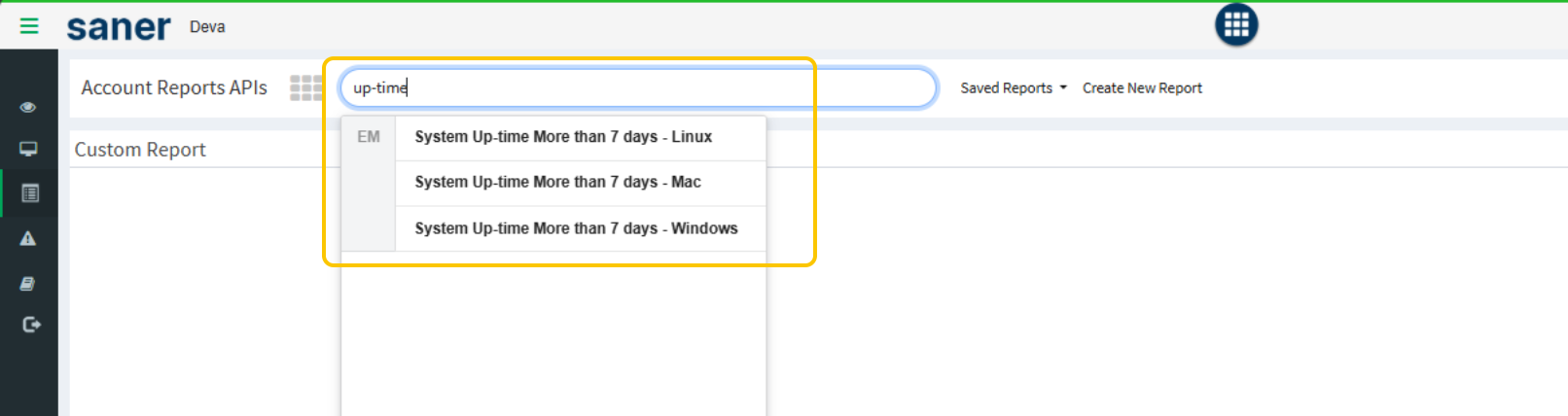
Use the keyword “up-time” in the search bar to find relevant reports.
Alternatively, use the Saner CVEM API to fetch uptime and reboot data programmatically for deeper analysis or automation.
Additional Notes
Regularly monitoring device uptime and reboot compliance ensures that your systems remain updated, stable, and secure.
Was this article helpful?
That’s Great!
Thank you for your feedback
Sorry! We couldn't be helpful
Thank you for your feedback
Feedback sent
We appreciate your effort and will try to fix the article