Product Version: 6.5.x.x
Overview
This article explains how to identify and analyze patch installation failures in Saner CVEM. Using the available reports, administrators can generate detailed insights into which devices encountered patch deployment issues and which specific patches failed to install. These reports help troubleshoot patching problems, maintain compliance, and ensure consistent vulnerability remediation across all managed systems.
Detailed Explanation
During patch deployment through Saner CVEM, some patches may fail to install due to various reasons such as system configuration conflicts, missing dependencies, insufficient privileges, or device connectivity issues.
To effectively identify and resolve such issues, Saner CVEM provides comprehensive reports that help administrators review failed patch details and track remediation efforts at both the host and patch level.
Reports to Identify Failed Patches
1. Failed Patches Report
Purpose:
Provides detailed information about vulnerable patches that were attempted for deployment but failed to install.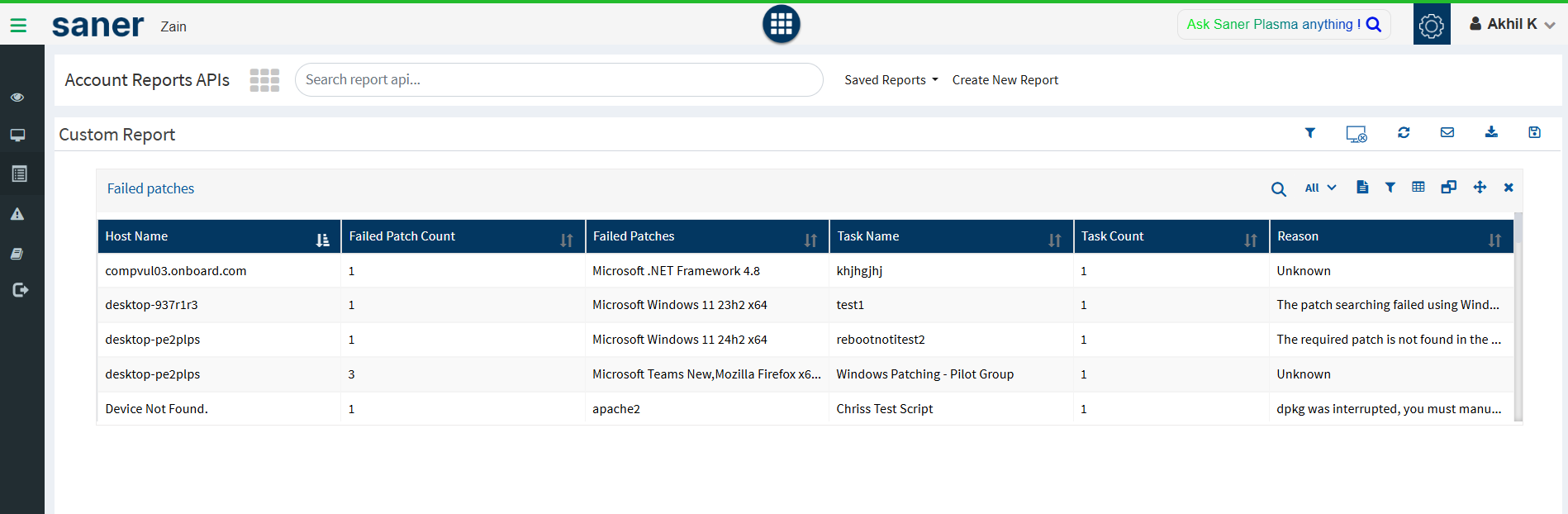
Details Included:
Patch name and ID
Severity and associated CVEs
Affected host names
Failure status or reason (if available)
Date and time of deployment attempt
Usage:
This report allows administrators to quickly identify which patches were not successfully installed across the environment and take corrective actions such as retrying the deployment or investigating underlying causes.
2. Remediation Patch Details by Host Name Report
Purpose:
Displays overall vulnerability remediation details per host, including both successfully and unsuccessfully installed patches.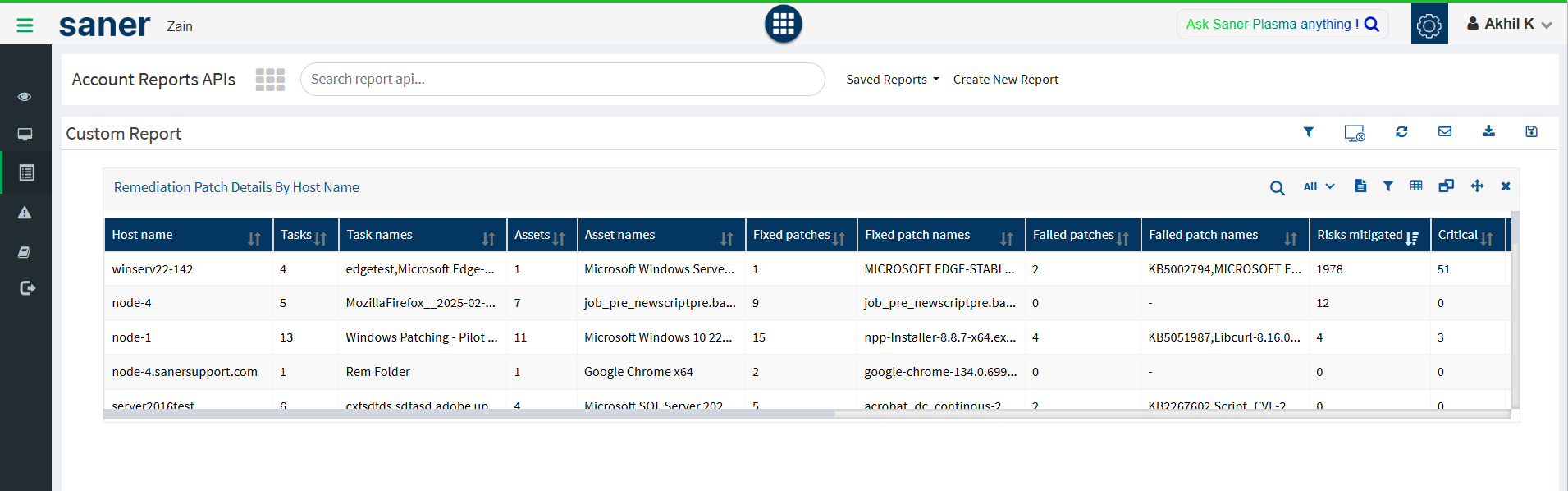
Details Included:
Host name and system information
List of patches deployed (successful and failed)
Patch severity and category
Failure count and detailed error information (for failed patches)
Usage:
This report helps administrators analyze patching trends at the device level and identify systems with repeated patch failures. It’s particularly useful for diagnosing issues specific to certain endpoints or environments.
How to Access the Reports
Log in to the Saner CVEM console.
Navigate to the Reports section from the main menu.
Select the desired report type:
Failed Patches
Remediation Patch Details by Host Name
Choose the relevant filters (e.g., time range, device groups, or severity).
Click Generate Report or Export to download the report in your preferred format (CSV, PDF, etc.).
Conclusion
The Failed Patches and Remediation Patch Details by Host Name reports in Saner CVEM provide critical visibility into patch deployment outcomes. Regularly reviewing these reports helps ensure timely detection and resolution of patch failures, improving your organization’s overall vulnerability management effectiveness and compliance posture.
Was this article helpful?
That’s Great!
Thank you for your feedback
Sorry! We couldn't be helpful
Thank you for your feedback
Feedback sent
We appreciate your effort and will try to fix the article