Product Version: 6.5.X.X
Overview
Patch Approval in Saner CVEM helps organizations control which patches can be deployed to endpoints, ensuring governance, stability, and compliance in patch management operations.
This knowledge base article explains how to enable, configure, and manage Patch Approval within the Saner Patch Management (PM) module.
Purpose
This article provides guidance on enabling and configuring Patch Approval in Saner CVEM to:
Control patch deployments
Reduce risk from untested updates
Enforce organizational approval workflows
Use Cases
Enterprises requiring governance around patch deployment
Administrators who want to define automated approval rules
Security teams that need tighter control over critical updates
Steps to Enable Patch Approval
Step 1: Access Patch Configuration
Log in to the Saner Console.
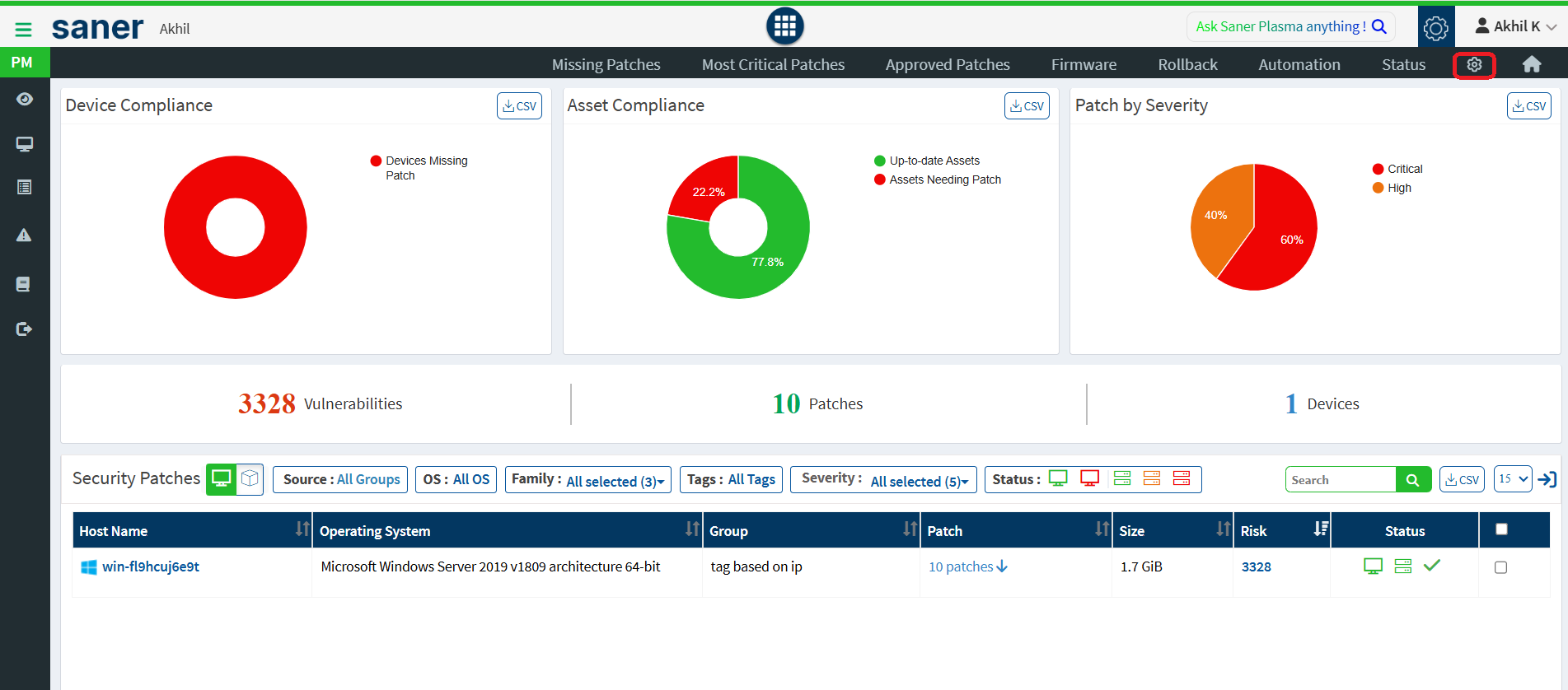
Navigate to the Saner PM Dashboard.
Click the gear icon (⚙️) to open Patch Configurations.
Step 2: Enable Patch Approval
In the Patch Configuration page, locate the Patch Approval section.
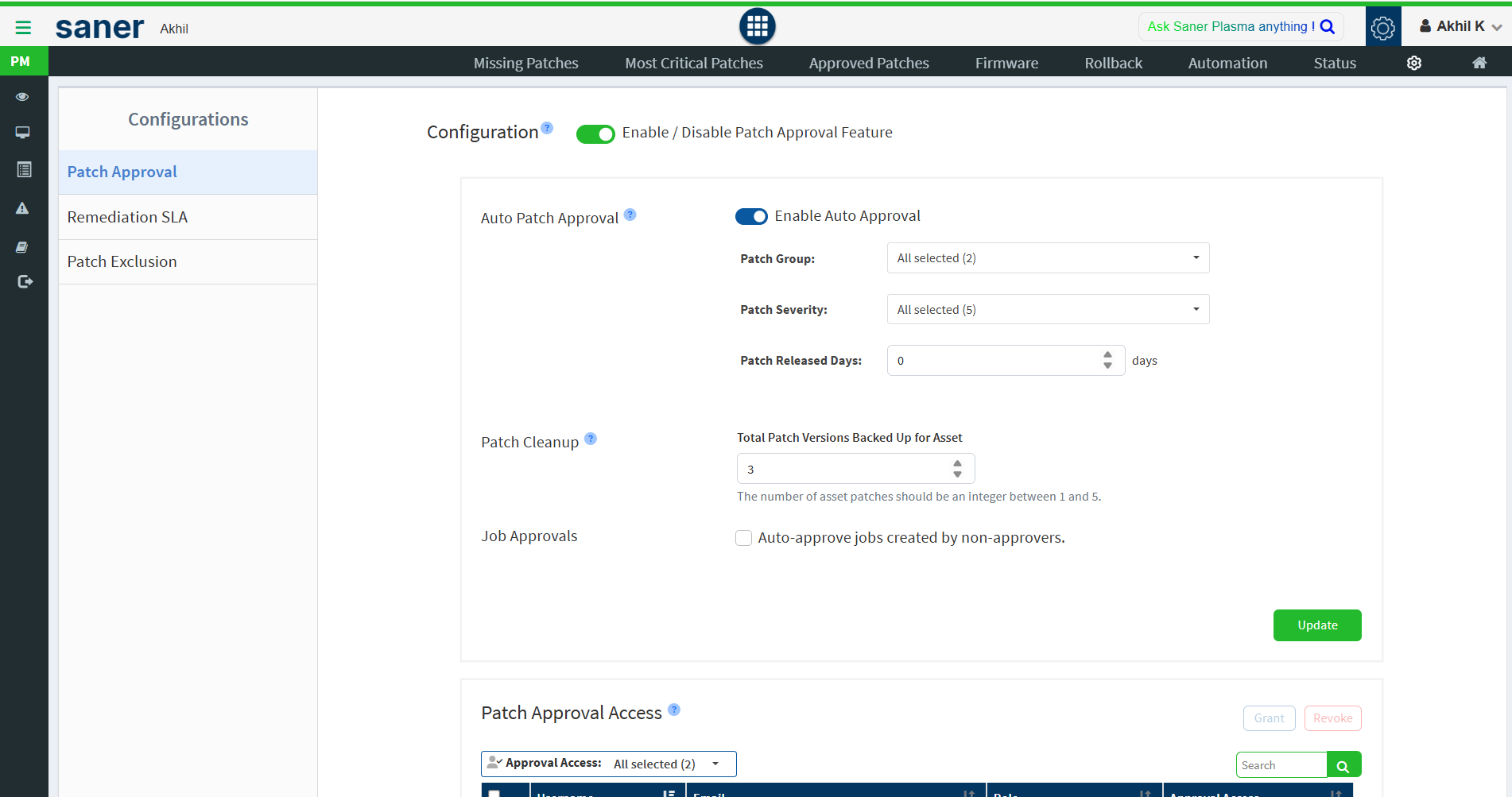
Click the Configuration button to enable patch approval functionality.
Step 3 (Optional): Enable Auto Patch Approval
Auto Patch Approval allows patches to be approved automatically based on predefined rules.
Click Enable Auto Approval.
Configure the following parameters:
Patch Group: All, Security, or Non-Security
Patch Severity: All, Critical, High, Medium, Low, or None
Patch Released Days: Number of days after vendor release before auto-approval
Step 4: Patch Cleanup Configuration
Configure the Patch Cleanup option.
Set the number of older patch versions that Saner PM should retain for rollback or backup purposes.
Step 5 (Optional): Enable Job Approval for Non-Approvers
Enable the Job Approvals checkbox.
This allows non-approver users to create patch jobs only for already approved patches.
Step 6: Save Configuration
Review the configuration settings.
Click Update to save the Patch Approval configuration.
Managing Patch Approval Access
Default Behavior
Admins and Org Admins have patch approval access by default.
Newly created users are also granted patch approval access unless they are marked as read-only.
Grant Patch Approval Access
Navigate to Patch Configuration > Patch Approval Access.
In the access table, select the required user.
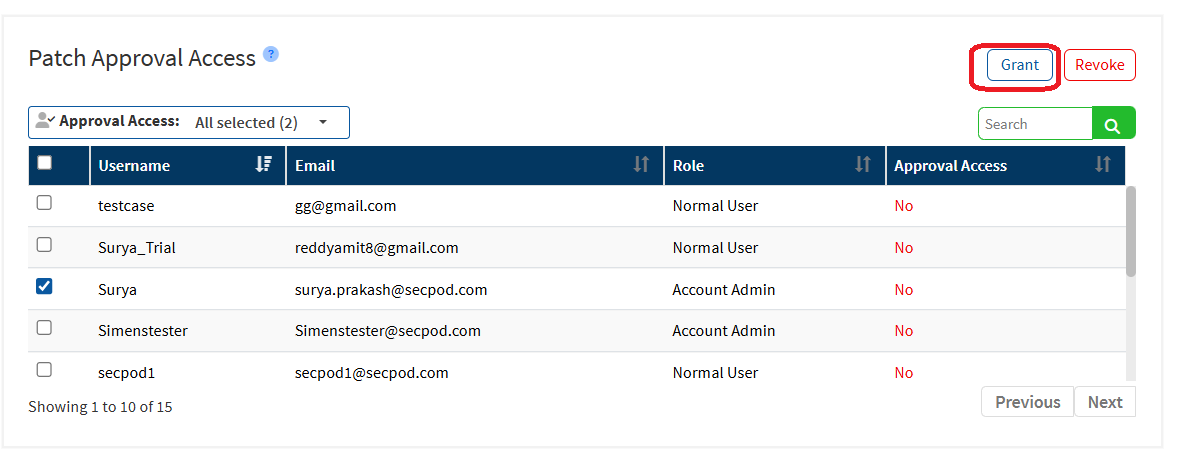
Click Grant to provide patch approval rights.
Revoke Patch Approval Access
Select the user from the Patch Approval Access table.
Click Revoke to remove patch approval rights.
Additional Notes
Use the Search box to quickly find users in the access table.
User email IDs and roles are displayed along with approval access status.
Users with patch approval access can approve both patches and remediation jobs.
Conclusion
Patch Approval in Saner CVEM provides granular control over patch deployments, helping organizations maintain security while minimizing operational risks. Proper configuration ensures patches are deployed in a controlled, compliant, and efficient manner.
Was this article helpful?
That’s Great!
Thank you for your feedback
Sorry! We couldn't be helpful
Thank you for your feedback
Feedback sent
We appreciate your effort and will try to fix the article