Overview
Saner CVEM allows administrators to attach Pre-Scripts and Post-Scripts during patch deployment to perform custom actions before and after patch installation.
This provides flexibility for automating tasks like stopping services, backing up files, or restarting applications after patching.
Navigation Path for Remediation Job
PM → Missing Patches → Select patches requiring specific pre or post actions → Apply Selected Patches
Steps to Add Pre-Script and Post-Script
1. Navigate to the Patch Management Module
Go to Patch Management (PM) from the left navigation bar.
Select the Missing Patches tab.
Here, you’ll see the list of patches detected across your endpoints.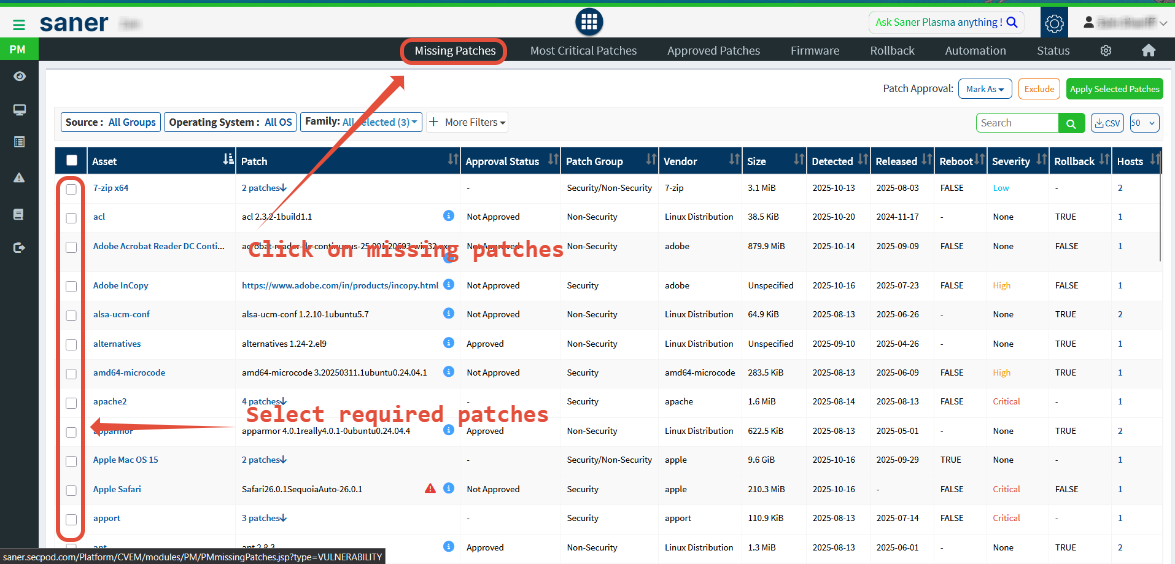
2. Select Patches for Deployment
Choose one or multiple patches that need specific pre or post actions.
Click Apply Selected Patches on the top right.
3. Create a Patching Task
A new window will open titled Create Patching Task.
Provide:
Task Name
Remediation Schedule
Patch Name, Version, and Release Date
From the left panel, select Remediation Scripts to access the script upload section.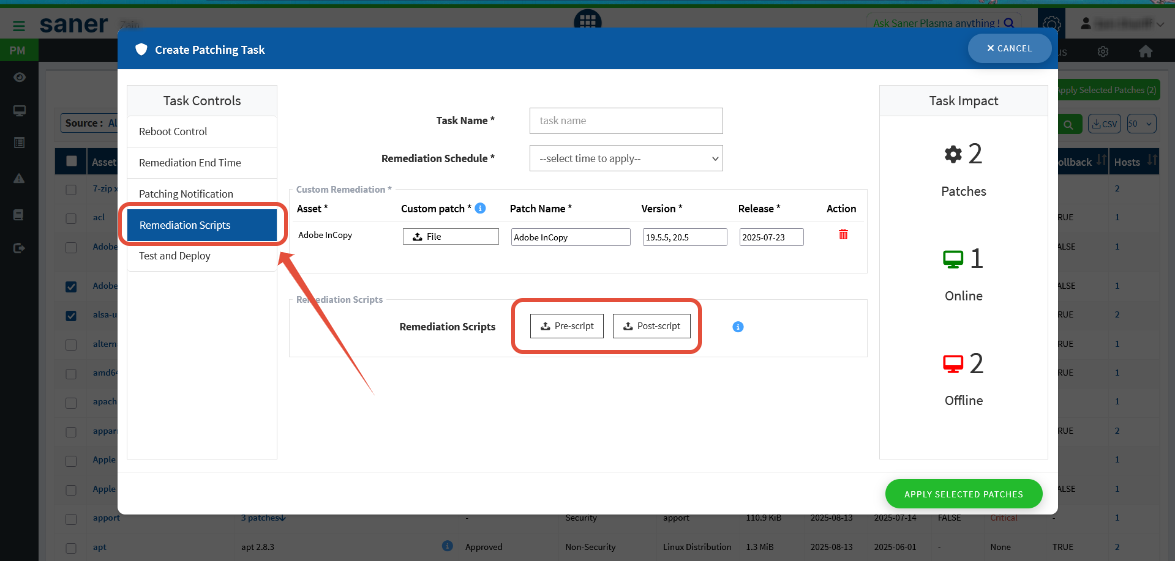
4. Upload Pre-Script and Post-Script
Under Remediation Scripts, upload your desired files:
Pre-Script: Executes before the patch is installed.
Post-Script: Executes after successful patch installation.
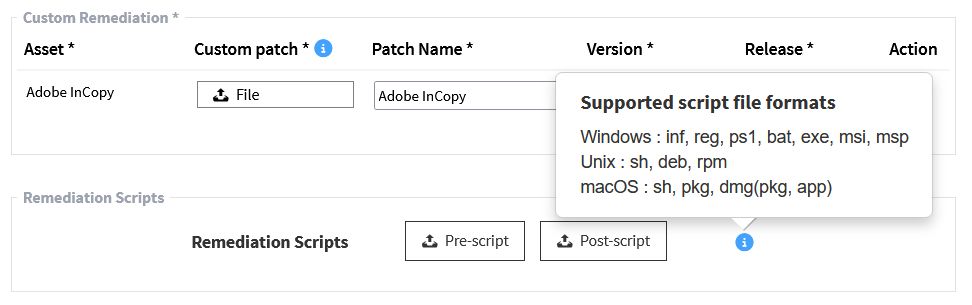
Saner CVEM supports the following file formats:
| Operating System | Supported Formats |
|---|---|
| Windows | .inf, .reg, .ps1, .bat, .exe, .msi, .msp |
| Unix/Linux | .sh, .deb, .rpm |
| macOS | .sh, .pkg, .dmg, .app |
Once uploaded, click Apply to save the configuration.
5. Applying the Configuration
After uploading both scripts:
Review your task details.
Click Apply Selected Patches to start deployment.
Saner CVEM will automatically:
Execute the Pre-Script before patch installation.
Install the selected patches.
Execute the Post-Script once patching completes.
Once uploaded, click Apply to save the configuration.
5. Applying the Configuration
After uploading both scripts:
Review your task details.
Click Apply Selected Patches to start deployment.
Saner CVEM will automatically:
Execute the Pre-Script before patch installation.
Install the selected patches.
Execute the Post-Script once patching completes.
Navigation Path for Remediation Rule (Automation)
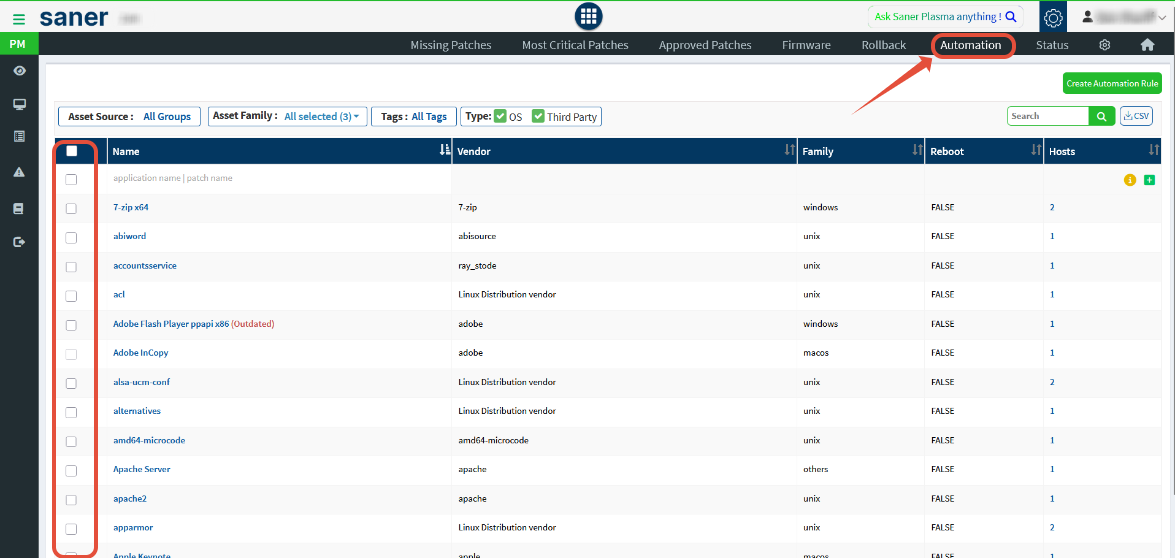
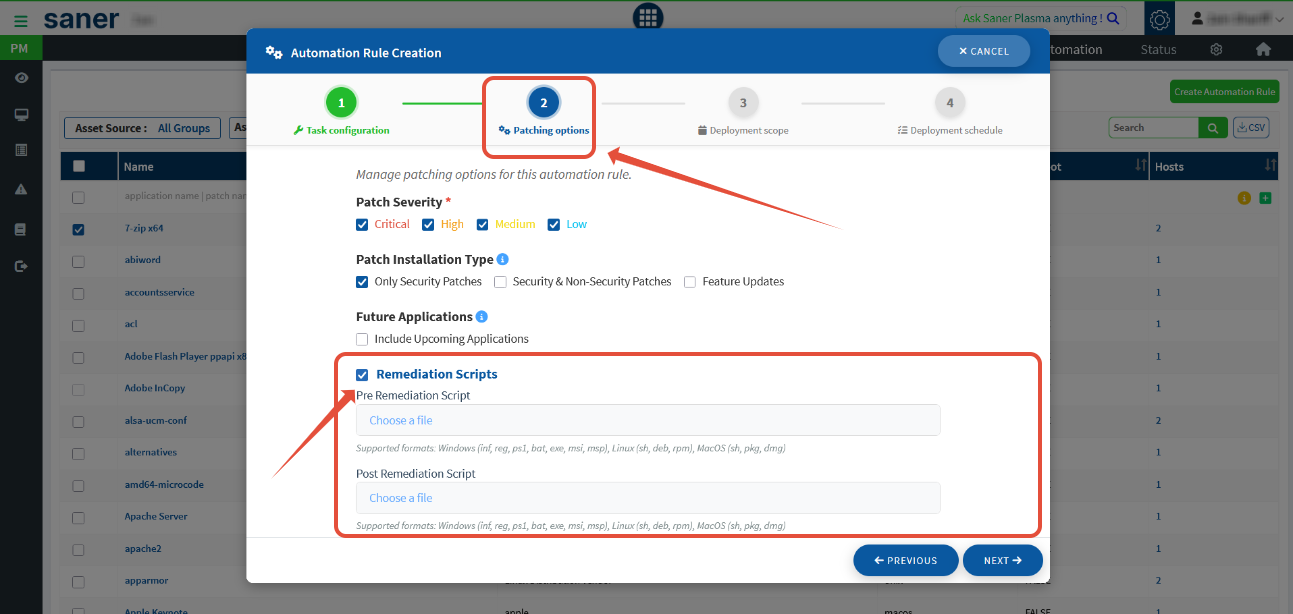
PM → Automation → Select patches requiring specific pre or post actions → Create Automation Rule → Step 2 (Patching Options)
Enable Remediation Scripts and upload your pre and post scripts.
These scripts will automatically execute for all future patching activities that match your automation rule.
Example Use Cases
| Scenario | Script Type | Purpose |
|---|---|---|
| Stop IIS or database services before patching | Pre-Script | Prevents update conflicts |
| Restart application services after patching | Post-Script | Ensures normal operation after deployment |
| Backup configuration files before updates | Pre-Script | Provides rollback safety |
| Clean temp/log files after patching | Post-Script | Frees up disk space |
Summary
The Pre-Script and Post-Script functionality in Saner CVEM’s Patch Management module helps IT administrators automate preparatory and cleanup tasks during patching.
This ensures smooth, reliable deployments and provides flexibility to customize the patching workflow for any environment.
Was this article helpful?
That’s Great!
Thank you for your feedback
Sorry! We couldn't be helpful
Thank you for your feedback
Feedback sent
We appreciate your effort and will try to fix the article