Overview
To enable macOS patching on Apple devices with M-series (Apple Silicon) chips, a volume user account named sanernow must be created on the device.
This account is used by the Saner agent to perform OS patching actions that require authorization restricted to the macOS volume owner.
A pre-configured script to create this user is attached below for your convenience.
Rationale
On macOS devices running on Apple Silicon, system updates and security patches can only be authorized by volume owner accounts.
The sanernow user account acts as a secure interface for the Saner CVEM agent to execute patching tasks with these required permissions.
This account:
- Does not require GUI or terminal login access
- Does not require admin privileges
- Uses a non-functional shell for enhanced security
For additional context, refer to Apple’s official documentation:
Apple IT Training - macOS Deployment
Prerequisites
- Ensure the Saner agent is installed on the device (/var/saner and /etc/saner directories must exist).
- You must have the volume owner credentials (username and password).
- The script must be executed with root privileges.
Step 1: Update the Script with Volume Owner Details
In the script, replace the placeholders with your macOS volume owner’s username and password:
admin_username="__ADD_ADMIN_USER__NAME__"
admin_userpassword="__ADD_ADMIN_USER__PASSWORD__"
Identify the Volume Owner
If you are unsure who the volume user is, you can verify it using the following commands:
diskutil apfs listUsers /
Check for the user listed under “Local Volume Owners”.
Then map that username using:
dscl . -list /Users GeneratedUID
Step 2: Execute the Script
Run the script on the affected macOS device using the command below:
sudo ./macOS-Silicon-User-Creation.sh
You may run it directly on the endpoint or include it as a pre-script in your patch management tool.
Step 3: Verify the User Creation
After successful execution, verify that the sanernow user has been created:
dscl . list /Users | grep sanernow
If you see sanernow listed in the output, the setup is complete.
Step 4 (Optional): Undo User Creation
If you need to remove the sanernow user manually, use the following commands:
sudo sysadminctl -deleteUser "sanernow" > /dev/null 2>&1
sudo security delete-generic-password -a "sanernow" -s "SecPod SanerNow Account" /Library/Keychains/System.keychain > /dev/null 2>&1
Note: The sanernow user is automatically deleted during agent uninstallation.
Deploying the script from Saner CVEM:
Method 1: As a PreScript
Using Pre-script in Patch Deployment
- Go to Patch Management → Select the affected patch → Remediation tab
- From the left panel, select Remediation Scripts
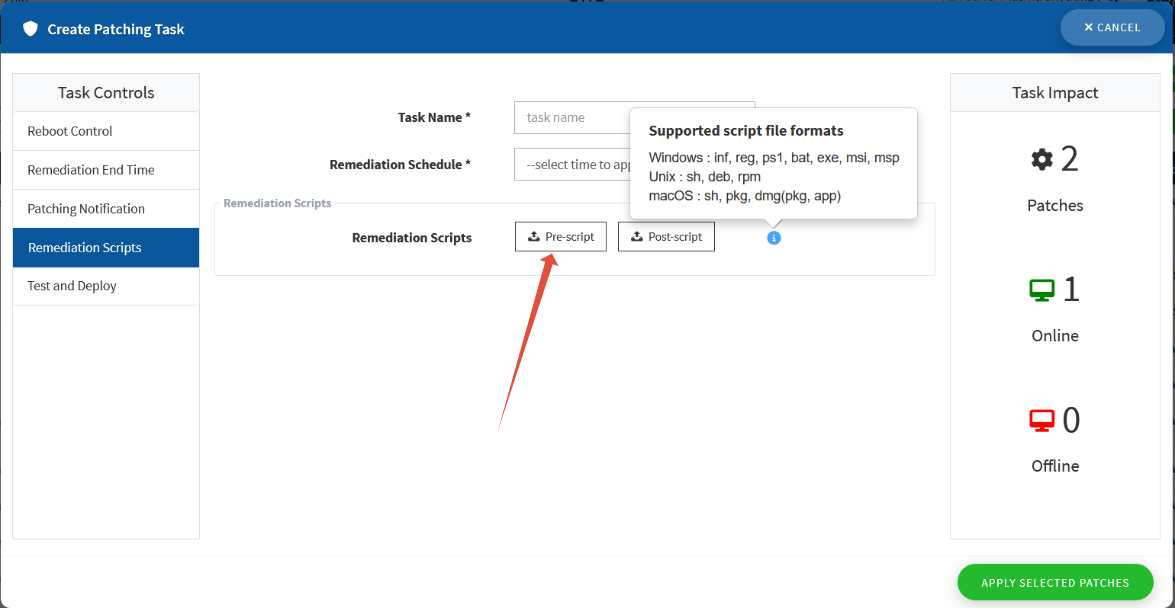
- Choose Pre-script and upload your .sh file
- Note: Ensure that the username and password in the script are updated as per the target system, and the local volume user exists on that device.
Method 2: Using Remote Scripting
- Navigate to EM → Remote Scripting → New Script
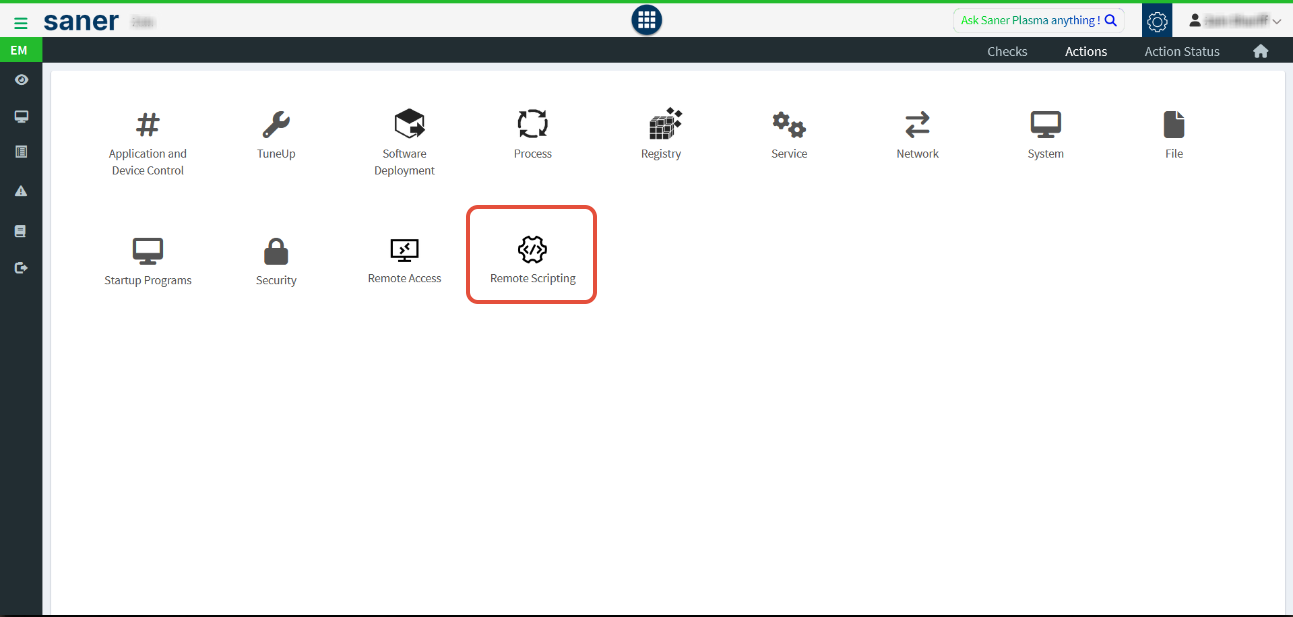
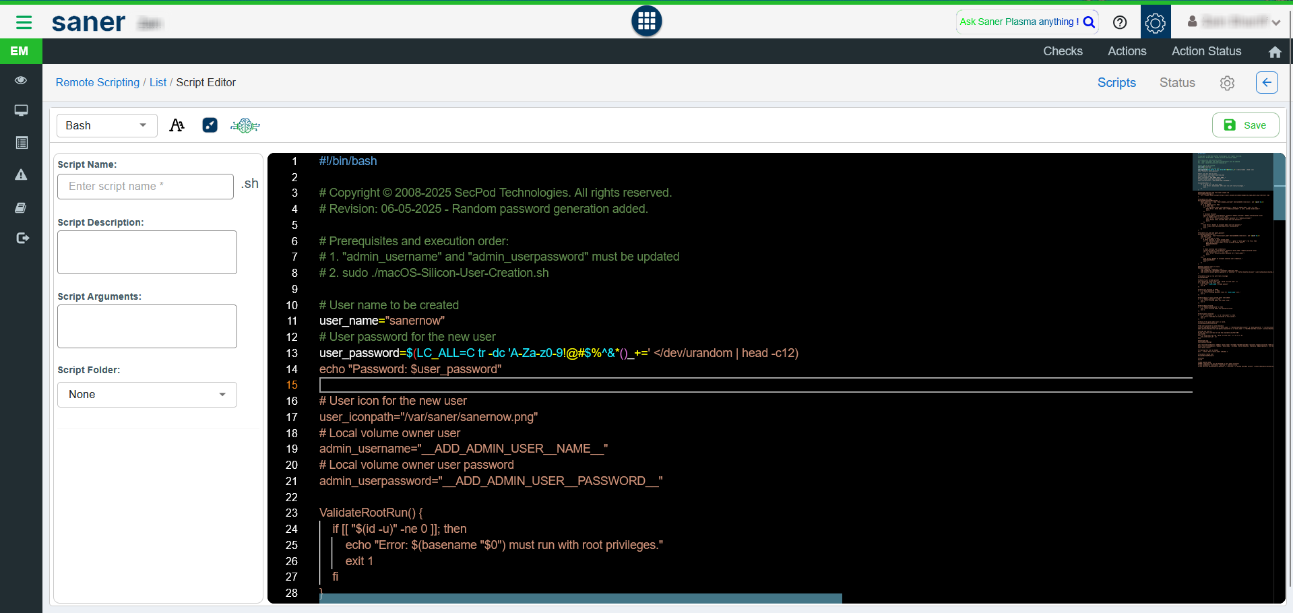
- Upload the same .sh file and execute it on the required endpoints.
Both methods are valid. Using the Pre-script ensures it runs automatically before patch deployment, while Remote Scripting allows manual execution for better control or testing.
Was this article helpful?
That’s Great!
Thank you for your feedback
Sorry! We couldn't be helpful
Thank you for your feedback
Feedback sent
We appreciate your effort and will try to fix the article