Overview
At times, users may notice variations in vulnerability counts across different sections of the Saner CVEM dashboard or when comparing results with other security tools. This article explains the reason behind these observations and how Saner CVEM represents vulnerability data.
1. Dashboard Sections and Their Perspectives
Each section in the Saner CVEM dashboard presents a unique view of vulnerability data:
a. Vulnerability Statistics
Displays the severity-based count of all vulnerabilities detected across devices within the account.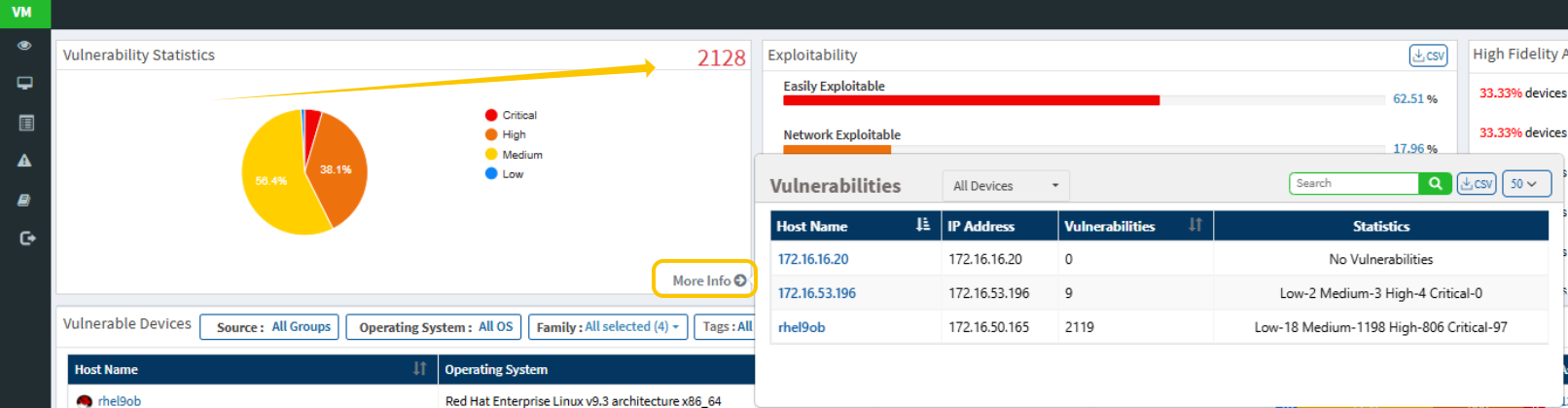 This gives a high-level overview of the overall exposure categorized by severity levels — Critical, High, Medium, and Low.
b. Vulnerable Devices
Shows the number of devices affected by one or more vulnerabilities. This view is device-centric, helping you identify which endpoints or assets are impacted rather than focusing on individual CVEs.
c. Vulnerabilities Section
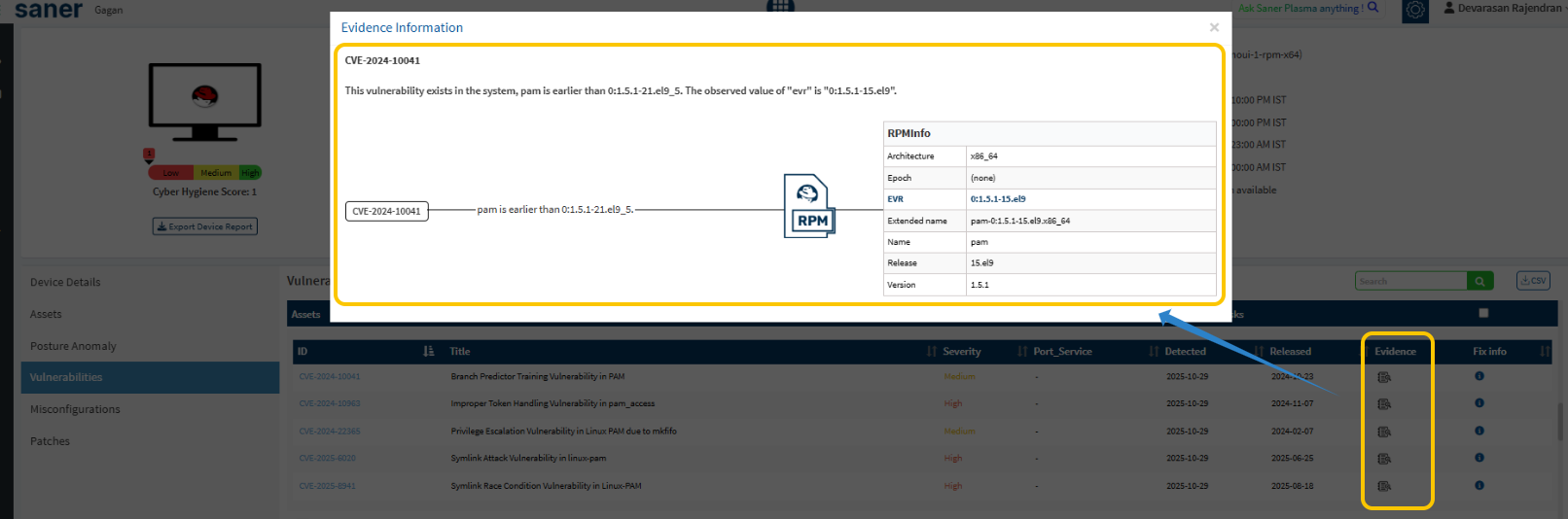
Lists the CVE-level details associated with detected vulnerabilities. A single CVE can be linked to multiple software assets across various devices. Each instance is counted according to its severity and risk level, ensuring comprehensive coverage.
By expanding the detailed view, you can access specific information related to each affected device and software component.
 2. Comparison with Other Tools
If you observe that other vulnerability management tools report fewer vulnerabilities compared to Saner CVEM, please note:
Each platform employs its own detection logic, data sources, and evaluation criteria.
As a result, variations in counts are expected and do not indicate an error or mismatch in Saner CVEM’s reporting.
Summary
Saner CVEM’s reporting is designed to provide multi-dimensional visibility — offering both vulnerability-level and device-level perspectives.
Understanding these distinctions helps ensure accurate interpretation of vulnerability data and more effective remediation planning.
Was this article helpful?
That’s Great!
Thank you for your feedback
Sorry! We couldn't be helpful
Thank you for your feedback
Feedback sent
We appreciate your effort and will try to fix the article